️ Introduction: The Two Ways to Organize Recipes
Imagine you want to save your favorite cooking recipes. There are two different ways you could do this:
Option A: The Neat Recipe Binder
You buy a binder with printed pages. Every page has the exact same layout:
- A box for the Recipe Name
- A list for Ingredients
- A box for Baking Temperature
If you try to write a recipe, you must follow the boxes. If you want to add a note about your favorite cooking music, there is no box for it! But, finding all recipes that bake at 350°F is super easy because you can just look at that specific box on every page.
This neat binder is like a Relational Database (often called a SQL Database)!
Option B: The Sticky Note Wall
You have a blank wall and a pack of sticky notes. You write recipes on any note you find.
- On one note, you write: "Chocolate Cookies: Flour, Sugar, Bake at 350°F."
- On another note, you write: "Spaghetti: Pasta, Tomatoes, my Grandma's secret tip: add sugar! Also, play jazz music."
You don't have to follow any boxes! You can write whatever you want. But, if you want to find all recipes that bake at 350°F, you have to read every sticky note from top to bottom because the temperature could be written anywhere.
This sticky note wall is like a Non-Relational Database (often called a NoSQL Database)!
️ Relational Databases (SQL): The Organized Binder
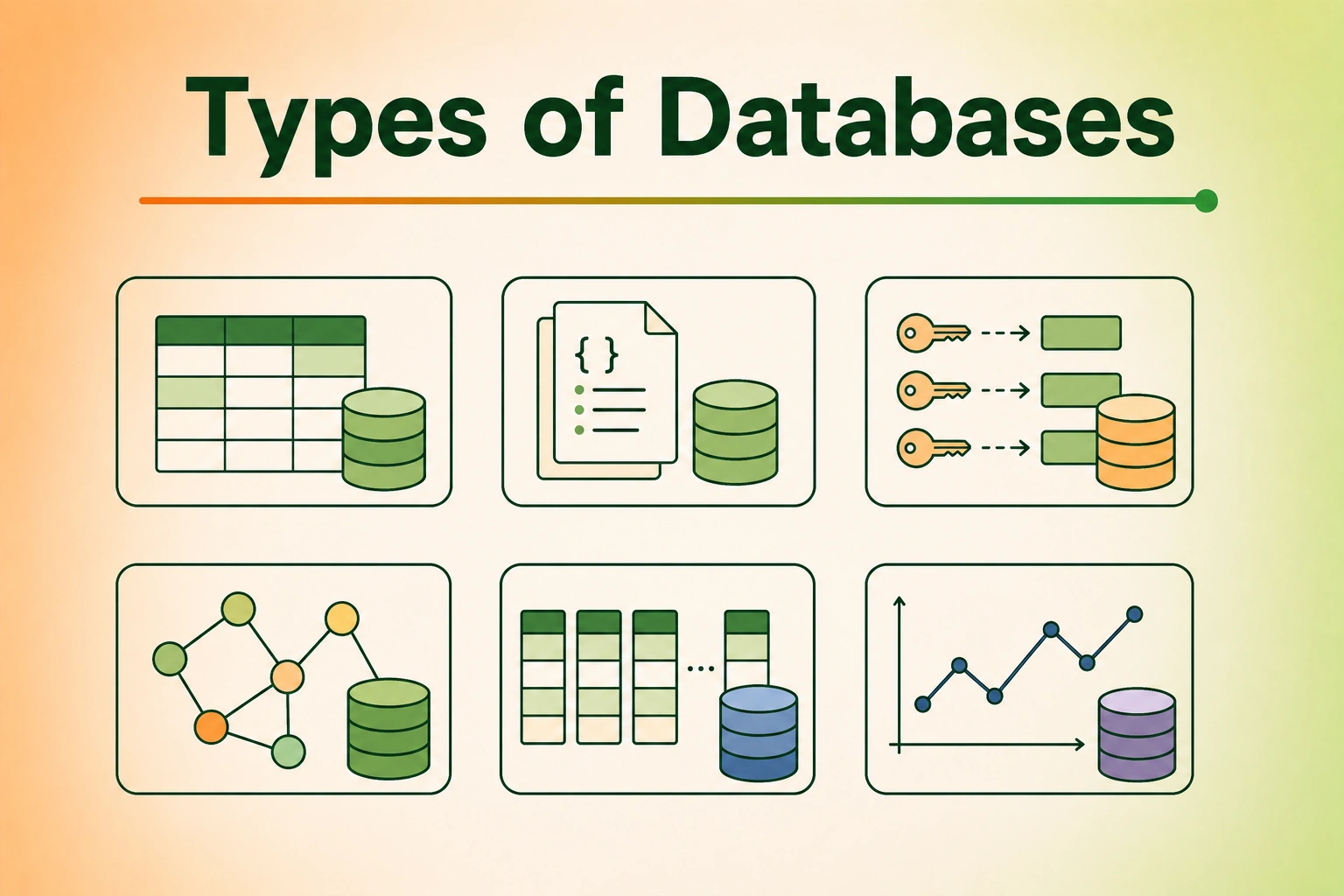
Relational databases are the most popular kind. They organize data into grids called Tables (like a spreadsheet with columns and rows).
- Structured Schema: You must define your columns (e.g., Name, Age, Email) before you can save any data.
- Relationships (Links): You can link different tables together! For example, you can have a
Userstable and anOrderstable. The database makes sure that every order belongs to a real user by drawing a virtual line (a relation) between them. - Famous Relational Databases:
- PostgreSQL: The powerful and advanced giant.
- MySQL: The most famous database on the web.
- SQLite: A tiny, fast database that lives inside your phone and computer!
NoSQL Databases: The Flexible Sticky Notes
NoSQL databases don't use grids or tables. They can store data in different ways, but the most common way is using Documents (which look like JSON folders).
- Schema-less (Flexible): You can save a user record with just a name today, and save a user record with a name, age, and favorite dog breed tomorrow!
- Scalability: NoSQL databases are amazing at splitting data across thousands of computers. This makes them perfect for storing billions of simple items (like chat messages).
- Famous NoSQL Databases:
- MongoDB: Stores data in JSON-like documents.
- Redis: A super-fast memory cache that stores data in Key-Value pairs (like a dictionary).
- Cassandra: Used by Facebook for huge amounts of messaging data.
SQL vs. NoSQL: The Ultimate Comparison
Let's look at how they match up:
| Feature | SQL (Relational) | NoSQL (Non-Relational) |
|---|---|---|
| Data Format | Tables with rows and columns. | JSON documents, Key-Value pairs, or Graphs. |
| Rules (Schema) | Rigid. Changing columns requires modifying the whole table. | Dynamic. Every record can have different keys. |
| Links (Relations) | Excellent. Designed to join tables together. | Poor. You have to handle links yourself in your code. |
| Scaling Up | Scale by buying a bigger, faster computer (Vertical). | Scale by adding more cheap computers to the pool (Horizontal). |
| Best For | Accurate math, money transfers, and structured setups. | Fast social feeds, real-time chats, and flexible data. |
When to Use Which?
Use SQL (Relational) when:
- You are dealing with money: If you are building a banking app, you need absolute accuracy. You can't have a balance transfer partially complete. SQL databases ensure transactions are 100% complete or rolled back.
- Your data is highly connected: For example, a school system where users belong to classes, classes have teachers, teachers have classrooms, and students get grades.
Use NoSQL when:
- Speed is everything at massive scale: If you are building a game that 100 million people play, and you need to save player high scores every second, NoSQL can handle the speed easily.
- You don't know what your data will look like: If you are building a catalog of products where clothing has "size" and "color", but laptops have "RAM" and "CPU", NoSQL lets you store them in the same collection without empty, unused columns.
Coding Examples: SQL vs. NoSQL Data Models
Let's see how we represent a user profile with their phone numbers in SQL (tables) vs. NoSQL (JSON document).
Complete Implementations & Representations
SQL Data Model (Two Linked Tables)
In SQL, we split our data to avoid repeating ourselves. We have a table for users and a separate table for phones linked together.
-- Create the main users table
CREATE TABLE users (
    id INT PRIMARY KEY,
    username VARCHAR(50) NOT NULL
);

-- Create the phone numbers table linked to users
CREATE TABLE phones (
    id INT PRIMARY KEY,
    user_id INT,
    phone_number VARCHAR(15),
    FOREIGN KEY(user_id) REFERENCES users(id)
);

-- To get the user details and all their phones, we do a JOIN:
SELECT users.username, phones.phone_number
FROM users
JOIN phones ON users.id = phones.user_id
WHERE users.username = 'Alice';
NoSQL Data Model (Single Nested JSON Document)
In NoSQL, we embed the phone numbers directly inside the user's document! No links needed.
{
  "_id": "user_101",
  "username": "Alice",
  "phones": [
    {"type": "home", "number": "123-4567"},
    {"type": "mobile", "number": "987-6543"}
  ]
}
Let's look at code in multiple languages showing how we query or parse this user data.
Python (Reading SQL Database vs. Parsing NoSQL JSON)
import json
import sqlite3

# SQL WAY: Retrieving data from linked tables
def query_sql_user_phones(conn: sqlite3.Connection, username: str):
    cursor = conn.cursor()
    # Join users and phones tables to get all phone numbers
    query = """
        SELECT u.username, p.phone_number
        FROM users u
        JOIN phones p ON u.id = p.user_id
        WHERE u.username = ?
    """
    cursor.execute(query, (username,))
    return cursor.fetchall()  # Returns list of tuples: [('Alice', '123-4567'), ('Alice', '987-6543')]

# NoSQL/JSON WAY: Reading nested dictionary data
def get_nosql_user_phones(json_string: str) -> list[str]:
    # Parse the document (flexible, no schema database query needed!)
    user_doc = json.loads(json_string)
    phone_list = []
    for phone in user_doc.get("phones", []):
        phone_list.append(phone["number"])
    return phone_list  # Returns: ['123-4567', '987-6543']
Common Mistakes
- Forcing SQL into NoSQL: Don't use a NoSQL database and then try to build lots of "links" between different documents in your code. That will make your app super slow! If you need links, use a SQL database.
- Forgetting Scale Limits: Don't think SQL databases can't handle big websites. Sites like Wikipedia and Instagram use SQL databases for massive workloads. Use NoSQL when your write speeds or flexible structures truly require it.
- No Database Schema Backups: In NoSQL, since there are no rules, your data can get messy. One record might have "PhoneNumber" and another "phone_number". Make sure your application code enforces consistent naming!
Summary
- SQL Databases are like organized binders (neat tables, rigid structure, perfect for links/connected data).
- NoSQL Databases are like sticky note boards (flexible, no schema rules, perfect for speed and scale).
- Choose SQL for banking, user logins, and linked inventories.
- Choose NoSQL for chat app history, real-time sensor streams, and gaming logs.