Introduction: The High School Yearbook
Imagine you are in charge of making the High School Yearbook. To keep track of all the students, teachers, and club members, you create a giant spreadsheet document on your computer.
Let's look at how your spreadsheet matches up with standard database terms:
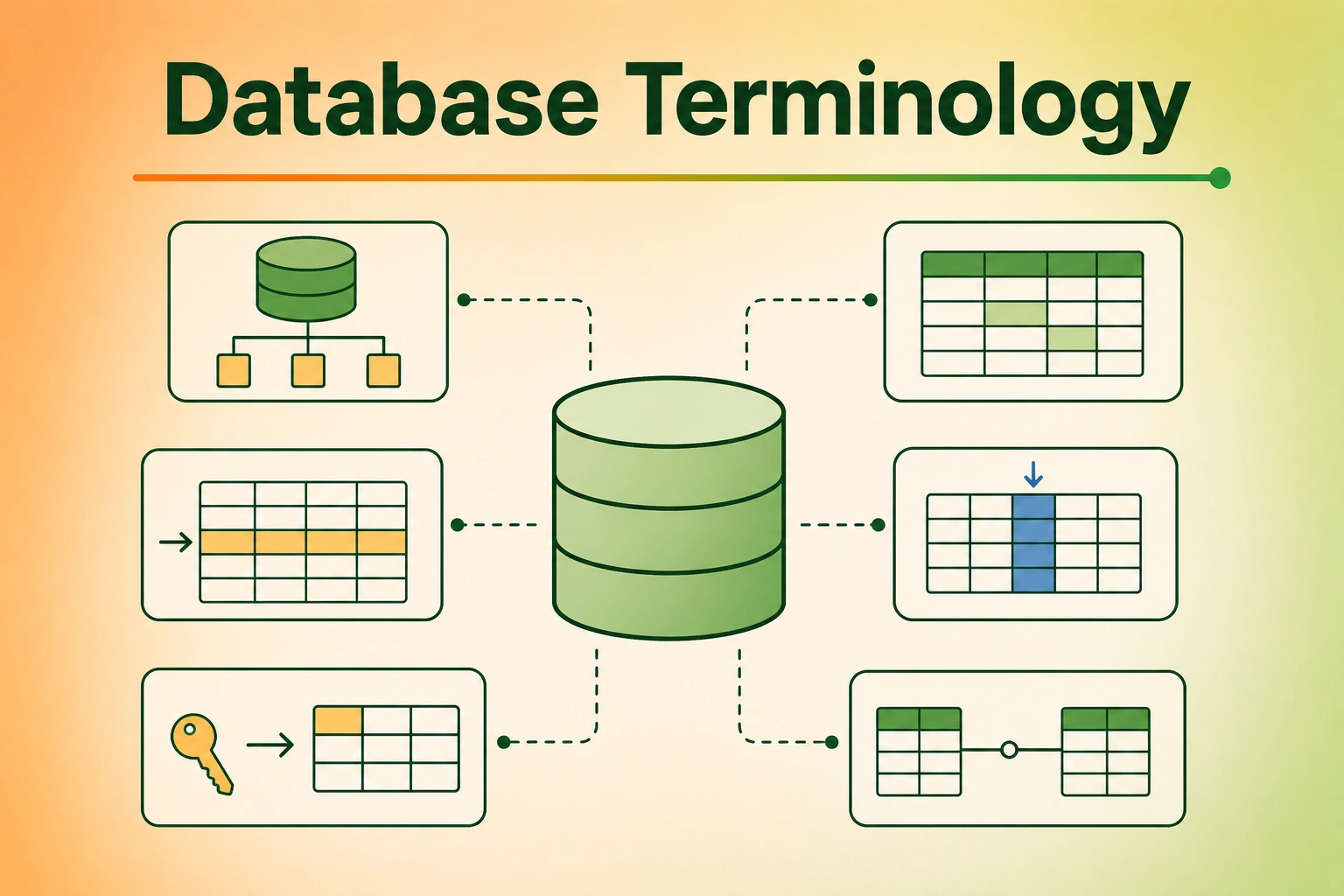
- The Spreadsheet Document (The File): The entire file on your computer containing all sheets. In database terms, this is the Database.
- A Single Tab/Sheet (e.g., "Students"): A grid of rows and columns containing only student cards. In database terms, this is a Table.
- A Vertical Column (e.g., "Favorite Color"): The category label at the top that tells you what type of info goes in that slot. In database terms, this is a Column (or Field).
- A Horizontal Line (e.g., "Alice, Age 8, Blue"): A complete set of information about one single student. In database terms, this is a Row (or Record).
- The Sheet's Rules (e.g., "Age must be a number"): The strict rules that say you can't type a favorite color in the age slot. In database terms, this is the Schema.
- The Student ID Badge (e.g., "Student #101"): A unique number that belongs to only one student, making sure we don't mix up two students named "Jack". In database terms, this is the Primary Key.
️ Core Database Terms Explained
Let's examine these terms closely:
1. Database
The Database is the entire filing cabinet. It is the storage container that holds all your tables, rules, and assistant tools together in one place.
2. Table
A Table is a collection of related items. For example, in a school database, you would have one table for Students, another table for Teachers, and a third table for Classrooms. Each table holds a list of similar things.
3. Column (Field)
A Column defines one specific attribute of your items. If a Table is a grid, the Columns are the vertical strips. Every column has:
- A Name (like
email_address) - A Data Type (like Text, Number, or Date)
4. Row (Record / Tuple)
A Row represents a single, complete item in a table. If a table has 100 students, the table has 100 rows. A row contains the specific values for each column (e.g., Row 1: Jack, 8, Green).
5. Schema
The Schema (pronounced Skee-ma) is the blueprint of the database. It is the architect's drawing that defines what tables exist, what columns they have, and how those tables link together. The database engine uses the schema to block invalid data (like putting letters inside a "Date" column!).
6. Primary Key
A Primary Key is the most important concept in database design! It is a column (or group of columns) that MUST be unique for every single row.
- No two rows in the same table can ever share the same Primary Key.
- Often, we use an auto-incrementing number (1, 2, 3, 4...) or a unique barcode (UUID) as the primary key.
- Once a primary key is set, we can use it to link that row to other tables!
SQL in Action: Creating a Schema
Here is the SQL query we write to set up our school database. Watch how we define our Table, Columns, Data Types, and Primary Key:
-- Define the Schema and Table
CREATE TABLE students (
    student_id INTEGER PRIMARY KEY, -- The Primary Key (Unique barcode)
    first_name TEXT NOT NULL,       -- Column for first name (Text only)
    last_name TEXT NOT NULL,        -- Column for last name (Text only)
    age INTEGER,                    -- Column for age (Numbers only)
    favorite_food TEXT              -- Column for food preference
);

-- Insert a Row (Record) into the Table
INSERT INTO students (student_id, first_name, last_name, age, favorite_food)
VALUES (101, 'Alice', 'Smith', 8, 'Pizza');

-- Insert another Row (Record)
INSERT INTO students (student_id, first_name, last_name, age, favorite_food)
VALUES (102, 'Jack', 'Jones', 9, 'Tacos');
Complete Code Implementations: Connecting Terminology
Let's see how we run code in multiple languages to build this schema and read columns/rows.
Common Mistakes
- Forgetting a Primary Key: Never build a table without a Primary Key! Without it, you cannot reliably update or delete a single row if two students happen to have the exact same name.
- Confusing Rows and Columns: Remember: Columns go up and down (define what type of data we store, like "Age"). Rows go left to right (represent a single student's card, like "Jack, Age 9").
- Invalid Data Type Entry: Don't write letters inside a number column (like putting "nine" instead of
9in age). The database schema will complain and reject it!
Summary
- Database: The entire digital storage unit.
- Table: The specific grid category list (like "Students").
- Column: The vertical category label and type rules.
- Row / Record: One horizontal line representing a single item.
- Schema: The overall rulebook/blueprint.
- Primary Key: The unique barcode badge stamped on each row.